Yes, Wix has inventory management
Wix Stores can track exact stock quantities for products or variants, or let a merchant manage a simpler In Stock or Out of Stock status. It can update tracked quantities as sales occur, supports inventory updates in the dashboard and Wix app, and provides store reports that include an inventory snapshot and sales by product variant. Those native capabilities answer important questions about what the store records now.
Reorder planning is a separate decision. Knowing that a variant has 18 units does not show whether 18 units will last through a supplier's lead time, when the buyer will review it again, or how a minimum order and case pack affect the next purchase. A merchant may use native Wix inventory alongside a planning method that combines stock, demand, inbound supply, and supplier constraints.
This distinction avoids a misleading claim that Wix “does not have inventory.” It does. The more useful question is whether the native records and reports are enough for the purchasing decision the team needs to make.
What Wix inventory currently covers
As reviewed on 23 July 2026, Wix's official inventory management overview describes two methods:
- track a specific stock quantity for a product or variant; or
- assign an In Stock or Out of Stock status manually.
The same guidance explains that tracked quantities change when customers purchase and that a store can choose whether inventory updates when an order is placed or when payment is received. That choice affects how the operational count behaves, so a planner should not assume every Wix store uses the same trigger.
Wix also documents inventory management in the Wix app, including product-level and variant-level handling. For products with options such as size or color, the business must decide whether it needs a combined product count or separate variant counts. Reorder analysis should use the same unit of identity that the buyer can actually order.
Native capability and planning question
| Native Wix surface | What it can help show | Separate buying question |
|---|---|---|
| Tracked quantity | Recorded stock for a product or variant | How long will it last? |
| In Stock / Out of Stock | Simple availability state | At what quantity should we reorder? |
| Inventory updates | Changes caused by the configured order/payment flow | Are reservations, returns, and exceptions reconciled? |
| Sales by Product Variant | Which variants sold in the report boundary | What demand rate should the plan use? |
| Inventory Snapshot | Current stock and inventory value overview | Which items are likely to run short first? |
| Purchase order workflow | Draft, order, and receipt handling where available | What quantity belongs on the order? |
Feature availability can depend on market, product setup, plan, editor, installed apps, and later platform changes. Check the current help page inside the relevant account before designing an operating process.
What an inventory count does not answer
An accurate count is essential, but it is only one input. A forward-looking plan usually needs:
- confirmed inbound units: stock already ordered and expected inside the planning window;
- average demand: a documented estimate such as average daily sales;
- supplier lead time: days from an approved order to usable stock;
- review period: days until the buyer will assess the SKU again;
- safety-stock rule: a deliberate buffer for demand or supply uncertainty;
- minimum order quantity: the smallest quantity the supplier accepts;
- case pack: the valid ordering increment;
- data observation time: when stock, sales, and inbound facts were collected.
If these values live only in a buyer's memory, a low-stock list cannot produce a reproducible quantity. If they are recorded, the team can explain a suggestion and challenge a stale input.
For the calculation itself, see Wix stock analysis and reorder planning. For a reusable worksheet, use the Wix inventory reorder calculator guide.
A simple synthetic example
Consider an invented variant called MUG-BLUE:
- Wix stock: 18 units;
- confirmed inbound: 12 units;
- average daily sales: 2 units;
- supplier lead time: 10 days;
- buyer review period: 7 days;
- safety stock: 3 days of average sales;
- MOQ: 24 units;
- case pack: 12 units.
The planning window is 10 + 7 + 3 = 20 days. At 2 units per day, the target position is 40 units. The store has 18 on hand and 12 confirmed inbound, leaving a raw shortage of 10 units.
Because an order is needed, the buyer applies the MOQ of 24. The case pack is 12, so 24 is already valid. The illustrative proposal is therefore 24 units.
Wix's current stock count supplied one critical number. The planning rule supplied the rest. Neither should silently overwrite the other: the buyer still needs to confirm that the inbound 12 are real, the sales average is representative, and the supplier terms are current.
How native purchase orders fit
Wix's purchase-order guidance, reviewed on 23 July 2026, says the Purchase Orders app is currently available to Wix Stores merchants in the US or Canada. It documents choosing a supplier, adding catalogue or custom products, setting quantities and costs, saving a draft, marking an order, and updating inventory when received.
That is an operational workflow, not evidence that the platform has calculated an optimal reorder quantity. A planning step can produce a reviewed proposal before a buyer enters or approves quantities. The boundary should be explicit:
- Wix provides current stock and relevant sales evidence.
- The planning rule calculates a proposed quantity.
- A buyer reviews inputs, warnings, and supplier constraints.
- The approved order is created or updated through the chosen process.
- Confirmed inbound is carried into the next planning cycle.
- Receipt is reconciled so stock is not counted twice.
The Purchase Orders app's current regional availability is especially important. A merchant outside the documented markets may use another supplier-order process while still using Wix Stores for stock.
Inventory readiness checklist
Confirm the Wix setup
- Identify whether each product uses tracked quantity or manual availability.
- Confirm whether variants are tracked separately.
- Record when inventory decreases: order placement or payment.
- Check how cancellations, refunds, failed payments, and pre-orders affect the chosen process.
- Confirm every SKU or variant mapping used by the buyer.
- Note whether multiple-location behavior applies.
Confirm the source data
- Capture the stock observation time.
- Reconcile recent receipts and known adjustments.
- Separate confirmed inbound from drafts or planned purchases.
- Choose a sales observation period and document it.
- Flag periods distorted by promotions, stockouts, or one-off orders.
- Keep blank supplier values as unknown rather than zero.
Confirm the purchasing rule
- Validate lead time with the supplier or approved record.
- Define the next review interval.
- Document the safety-stock method.
- Record MOQ and case pack at the orderable SKU level.
- Decide how overrides are approved and explained.
- Keep a record of the final ordered quantity for the next run.
When native Wix inventory may be enough
A small store may not need a separate forecasting system. Native tracking and a regular manual review may be sufficient when:
- the catalogue is small;
- demand is slow or easily observed;
- suppliers deliver quickly and consistently;
- there are few variants or constraints;
- one person understands and documents purchasing;
- a simple threshold produces acceptable decisions.
The fact that a more elaborate model exists does not make it necessary. Extra inputs create maintenance work and can produce false precision when the data is weak.
When a planning layer becomes useful
An explainable planning layer becomes more useful when:
- SKUs sell at materially different rates;
- lead times are longer than the review cadence;
- variants make manual monitoring difficult;
- inbound stock needs to be considered;
- suppliers impose MOQ or case packs;
- buyers need a ranked weekly queue;
- overrides need reasons and an audit trail;
- repeated stockouts or excess orders cannot be explained from counts alone.
The goal is not to replace Wix. It is to make the quantity decision reviewable before any supplier communication or stock change.
Limitations and checks
Native features and availability can change after this page's update date. Wix reports reflect their configured scope and do not automatically validate supplier data, physical counts, or future demand. A simple demand average does not model promotions, seasonality, substitutions, expiry, multi-location allocation, cash constraints, or supplier capacity.
An inventory planner should not:
- treat missing lead time as zero;
- count an unapproved draft as confirmed inbound;
- guarantee that a recommendation prevents a stockout;
- send a purchase order without separately approved authority;
- change Wix inventory merely because a model produced a quantity;
- imply that a current report proves the physical stock is correct.
Official sources reviewed
Platform facts were checked on 23 July 2026 against Wix's inventory management overview, Wix app inventory guide, Wix Stores analytics reports guide, and purchase-order guidance.
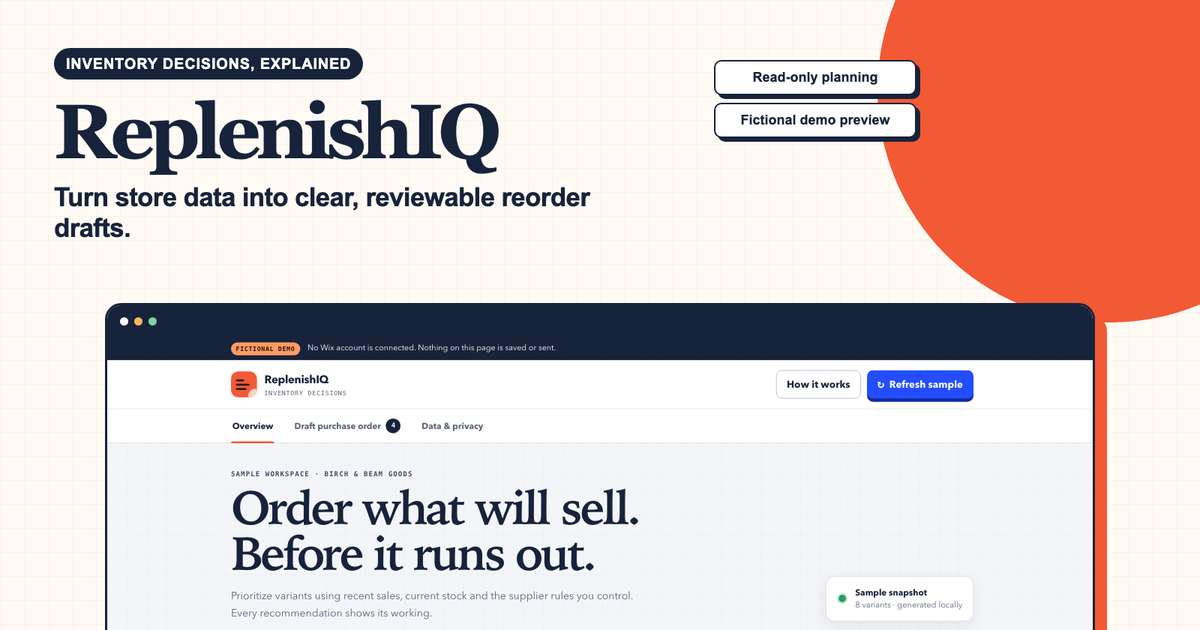
To test whether these inputs can produce a useful queue for a bounded catalogue, run the ReplenishIQ sample and request one paid Wix-connected feasibility review. The sample does not place an order or change Wix stock.